
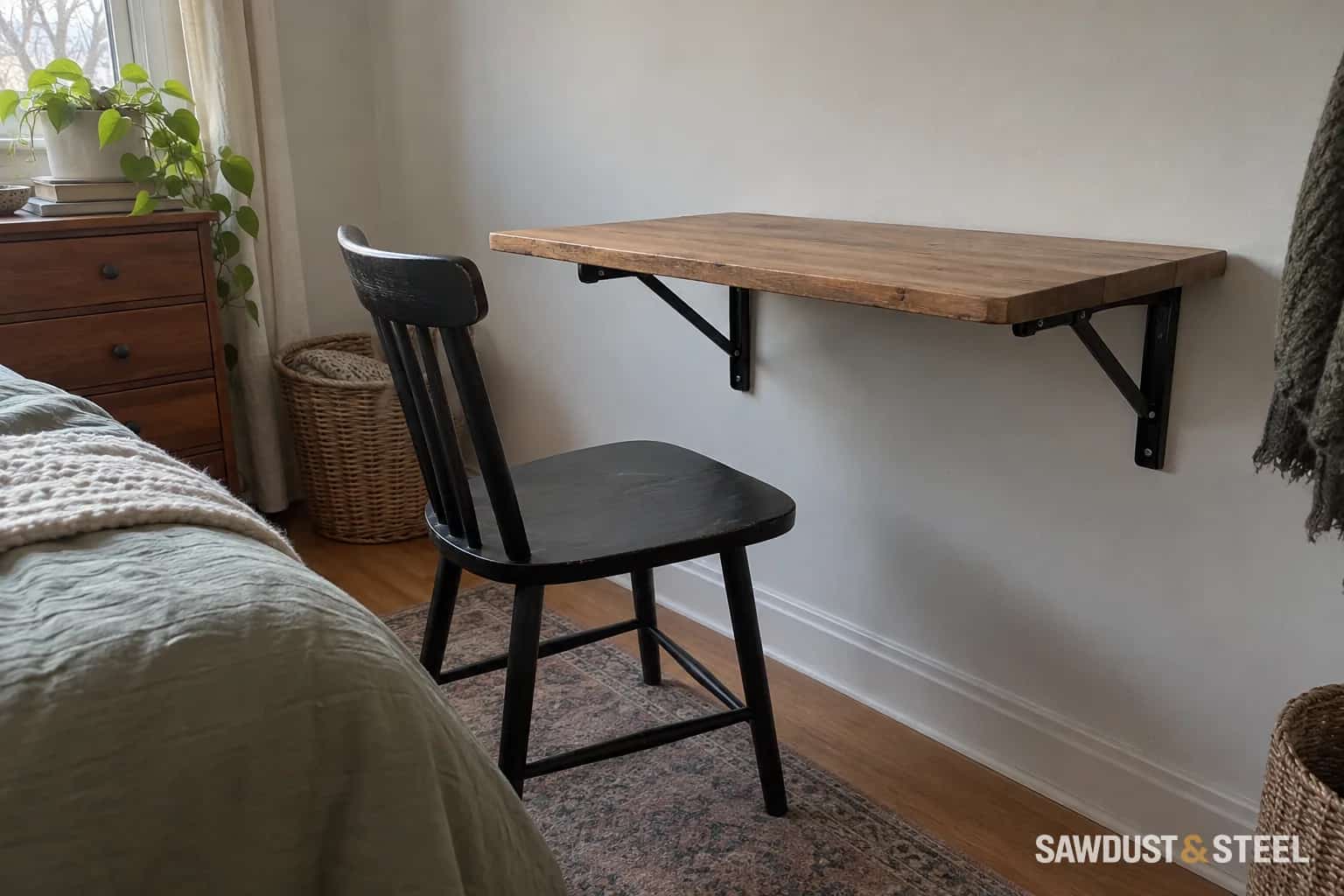
A desk that folds away is useful when the room has another job. The idea is straightforward: a worktop, a pair of brackets and an empty wall. The details decide whether it feels solid and convenient or becomes a surface nobody wants to open.
Start by deciding what stays on the desk while it is in use and what happens to those items when it closes. A laptop is easy to move. A monitor, speakers and a tangle of charging leads can turn folding into a nightly chore.
Check both positions
Mark the open desktop on the floor and wall. Set a chair at it and allow for knees, feet, armrests and pushing back to stand. Check nearby doors and furniture. Then mark the folded projection using the selected hardware and actual top thickness; the closed desk is unlikely to disappear completely against the wall.
Include the bracket arms and hinge movement, not just the top's outline. Confirm which direction it folds, where a person stands to operate it and whether both releases can be reached without placing fingers in a pinch point. A deep top may make a release at the back awkward even when the room has plenty of floor space.
If the room needs a desk open most of the time, try a workstation trial before choosing fitted or movable furniture before adding a mechanism that brings little practical benefit.
Choose the complete support arrangement
Rockler's folding shelf bracket range is one example of hardware with a defined folding and release arrangement. Select brackets explicitly suitable for the intended surface and follow their mounting instructions. Check permitted top dimensions, bracket spacing, installation orientation and how the stated load rating is defined. That listing specifically calls for attachment to wood studs at its stated spacing. It is not evidence that the same brackets can use arbitrary hollow-wall fixings.
The rating on a bracket listing does not establish the strength of the wall, fasteners, top or their connections. Nor should it be interpreted as permission to sit on the desk. Leaning on the front edge creates a different situation from placing a light object close to the wall.
| Part | Question to settle |
|---|---|
| Wall support | What structure receives the fasteners, and is it suitable for this installation? |
| Brackets | Do the model, spacing, locking action and use conditions match the desk? |
| Desktop | Is its material, thickness and overhang suitable for the supported span? |
| Connections | Are the specified fasteners appropriate at both wall and top? |
| Operation | Can one person support and release the surface safely as instructed? |
Include the top's own weight
A thick top looks reassuring, but it adds weight every time the desk is moved. Compare the intended material and size with the hardware's instructions before choosing it for appearance alone. Consider the finished top, edge trim and anything permanently attached underneath.
For a worked planning example, list a laptop, screen, keyboard and task lamp, then add the top itself. That inventory helps the designer or supplier evaluate the intended use. Simply adding the equipment weights and finding a higher bracket number is not a complete structural check; position, connection details and operating forces still matter.
Verify the wall construction and concealed service routes before drilling. Where the support is uncertain, get the mounting detail resolved rather than choosing a larger assortment of hollow-wall anchors. The same need to understand the wall appears in wall-cabinet installation, although its mounting system is different.
Make folding a simple routine
Plan a home for everything removed from the desktop. Put a shelf, drawer or charging position within reach, without obstructing the folded top or the user's legs. Check that cables have a deliberate route and cannot be trapped between the top, brackets and wall.
Do not let a power cord become the stop that limits movement. Unplug or disconnect equipment as needed before folding, following the hardware and equipment instructions. Keep fingers clear of the mechanism, and do not let children operate a heavy surface without appropriate supervision.
At a compact bedroom desk, we moved the everyday charging point to a fixed nearby shelf. That small choice made folding practical: the owner could move the laptop, disconnect one lead and close the desk without crawling underneath.
Inspect before everyday use
After installation, confirm the brackets engage and release correctly, the surface sits as intended and there is no unexpected movement. Follow the hardware's inspection and maintenance requirements. Do not jump, sit or load it experimentally to see what it can take.
If it shares a room with a wall bed, draw both items fully open and plan the order of use. A folding desk works best when the support is sound and the daily routine is easy enough that you actually fold it.